Review of PDA Asus MyPal A626
Life photos of A626
 |  |  |
 |  |  |
 |  |
Sales package:
- PDA
- 1200 mAh battery;
- User guide
- Charger
- Carrying case
- CD with software (ActiveSync and Outlook)
- Mini-USB data cable
In 2006 ASUSTeK released a number of successful models, both in the segment of communicators and Pockets PCs. Among its latest-and-greatest, we should particularly emphasize Asus A600, the A620 and the A636. The highlight of our today’s review belongs to the same MyPal 6xx line-up. The company sticks close to the tradition of launching GPS-enabled PDAs (the A686, the A696), and Asus A626 can be regarded as an addition to this range. That is, it sports no design traits that would confine you to portrait-only orientation. Another characteristic feature of the entire series is brilliantly tweaked power consumption – all offerings coming from this product line show off big numbers in battery life tests.
The company positions the MyPal A626 as “pure PDA”, as it is the line-up’s junior model having no GPS-module onboard. The A626’s sales package is extremely unpretentious, including only the essentials. However we were quite surprised by the absence of a cradle from there as it had become par for the course for most PDAs.

Design and controls
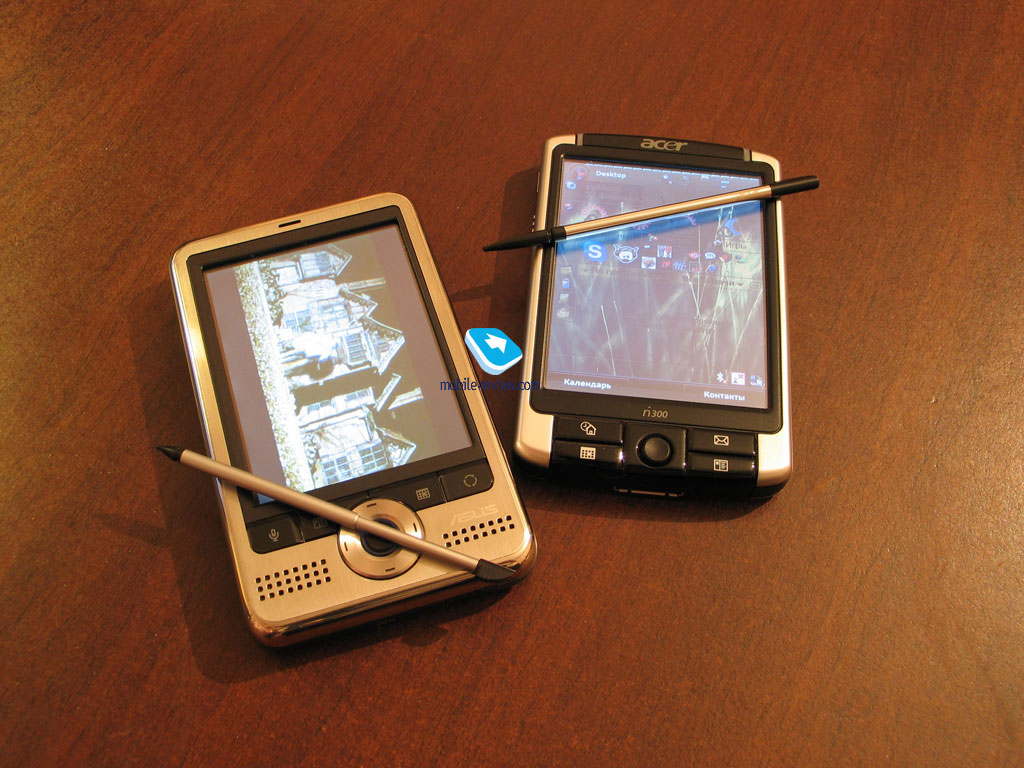
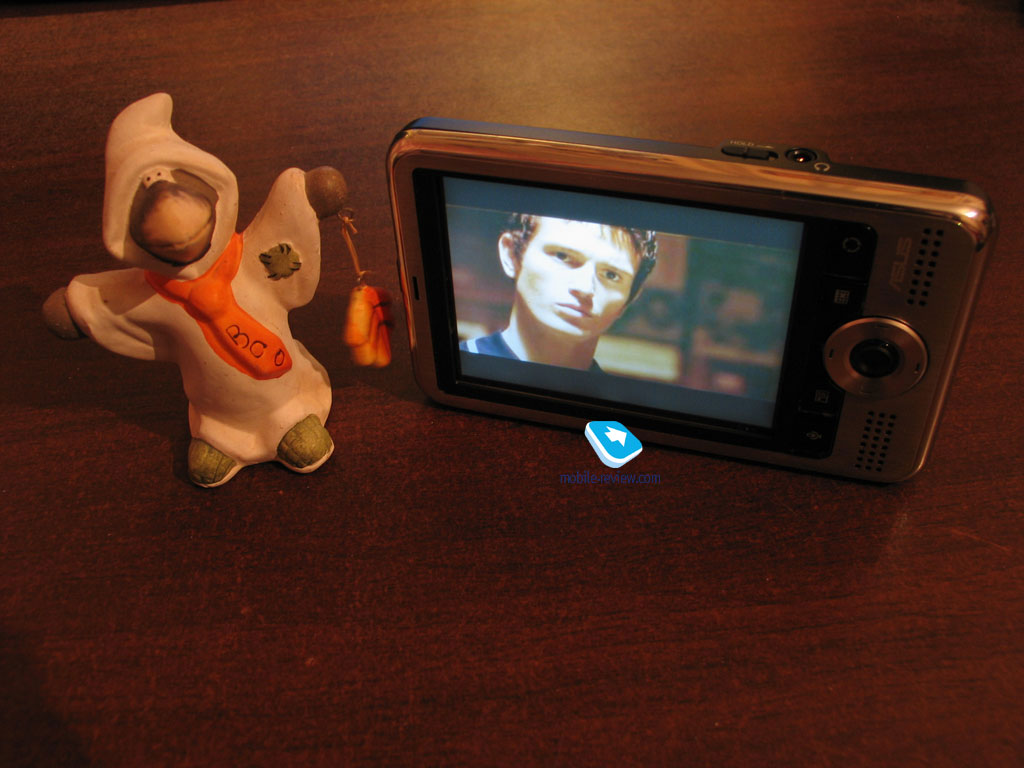
The device’s looks can be deemed traditional for Asus-branded PDA solutions. Availability of GPS-module in senior models leaves its own stamp on all offerings that belong to the line. In fact, that is why the first launch goes in landscape orientation. The asymmetrically placed display (if put the device in vertical position, it will be a bit closer to the right spine) serves as just another proof that landscape setup is intended for the A626.

Measuring 117x70.8x15.7 mm at 158 g, the A626 fits in the image of a today’s PDA. The device is larger in size than Acer n311 but is pretty much comparable with other solutions. This PDA is meant to be carried in bag or briefcase in the first place; as although it comes packaged with a carrying case, it has no belt clip. The case made of thick black material features Asus logo on the face and has firm grip on the PDA.


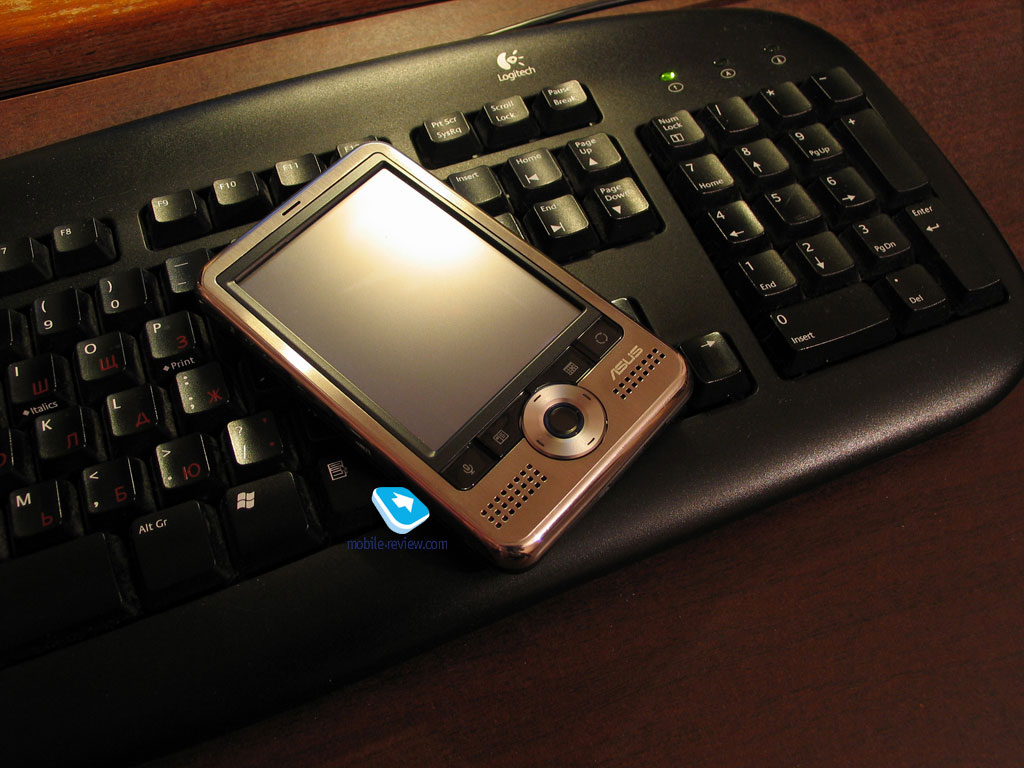
The A626 comes in conventionally-looking rectangular form without protruding details and slightly rounded edges and spines. The PDA’s face has metal finish that goes along the perimeter and partly touches the side plates. Black plastic is used for the display’s frame. Our review unit had silver front plate; however they are now planning to launch three extra trims: gold, blue and light blue. At that, the only part that varies in color is the front fascia, whereas the rest of the casing remains coated in black.

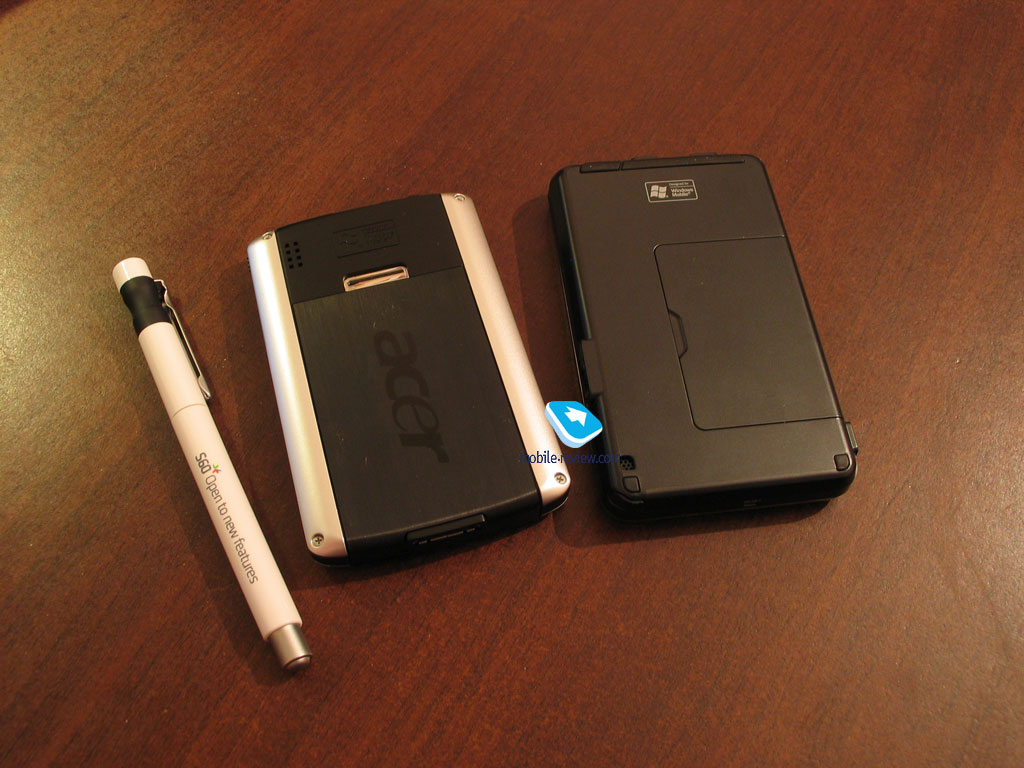
The rear utilizes standard black plastic, which seems far too unsophisticated and cheap; and naturally the combination of metal and plastic is something we haven’t used to see too often, which makes for more primitive looks of the A626.
Beneath the screen, on the face plate, you will find four keys and a round five-way navigation key. Further down on the left is a small speaker grill, on the opposite side is the similarly-patterned grill, hiding wireless interfaces indicator underneath, as for the rest it is here chiefly for the sake of it. The keys under display are dedicated to the following functions (from left to right): voice notes, contacts, calendar, quick menu, more of which later.


Bulky in size navigation pad stands a bit above the casing surface, which makes it a cinch to work with, as well as with other fascia-mounted keys. Above the screen you will find a small hole, where charging LED is placed.

The left spine plays host to a Mini-USB slot which serves for linking up the PDA with PC or charging up the handheld. The slot is left uncovered. The right-hand side houses two elements: hold switch and 3.5mm audio jack. The elements mentioned, placed both on the spines and on the edges, are placed flush with the casing, which is a reasonable approach as all the three devices of the new line feature identical shells and in view of GPS-module embedded in the senior models they all are supposed to be used in car. That is why the casing is made flat with no protruding parts.

The presence of 3.5 mm jack for headphones gives you an opportunity to use Asus A626 as a music player. We tasted sound quality with in-ear phones Sennheiser MXL 51 The sound proved to be clear without any unwanted noises. Top volume level is not particularly high, but seems sufficient to use the player on the street. Of course, music-conscious users will definitely turn up their noses at the A626, but our point of view is purely subjective.

The upper edge is armed with the power button and unprotected memory expansion slot. The card format applied here is one of the most wide-spread among PDAs – SD/MMC with SDIO support. The biggest memory card you can use with the A626 should be the most capacious unit on the market, just like we’ve come to expect. Switching to the bottom end, you can see the soft reset key and Infrared window, as well as the stylus silo.

The stylus slides into the silo vertically, if you are holding the A626 sideways, which is quite different from our previous experience. In other words, if you put the device vertically, the stylus socket will be located horizontally at the bottom edge. The advantage of this layout is that whichever way you hold the A626, the stylus will never end up sliding out of the silo on its own.


Stylus is extensible, though it snaps open and closed with authority. When closed, it measures 62 mm tall, and 92 mm when opened. Basing of its thickness and size, we should better say that it is not very easy to use, just average. For most of the PDAs this stick usually turns out to be rather thick. But in this way Asus A626 is inferior even to Acer n311 with its already pretty skinny stylus. Ultimately, you will get used to it, but at first it might seem too small and inconvenient, especially to those who have dealt with other PDAs in the past.

Display
It is one of moot points about the whole of Asus’s updated range. The A626 sports touch-sensitive TFT-matrix measuring 3,5” from corner to corner. The active zone of the display at that makes up 70x52 mm with 320x240 pixel resolution and up to 65 K colors. Usage of QVGA resolution in the at-the-frontier PDA line-up is a questionable step. The company decided to arm the screen with glare filter, which makes for matte shine of the display and thus dim and faded picture. But this drawback is fully compensated by the screen’s high brightness and the ability to adjust this parameter precisely.

The vertical viewing angles are superb – the image doesn’t get distorted at all. But the horizontal ones let the A626 down when you incline the PDA. Partly, the reason is the matte coating; in the sun the display gets heavily washed out, yet remains readable. Generally speaking, the screen is comfortable to use, but lags behinds the competition in terms of picture quality, beating them with the brightness level. Nevertheless why would they throw QVGA in it, is quite obscure since even communicators are now getting VGA resolution.
Battery life
The handheld carries a 1200 mAh Lo-Ion battery onboard, which is par for the course for many PDA by various manufacturers. Though, it is quite another matter that in many models capacity like that allows getting only moderate or even sub-standard figures of battery life. As the manufacturer claims, in the A626 this capacity will be enough for 15 hours of music playback with the screen switched off.
Below are the results of our standard battery life tests.
Reading mode – the least power-hungry mode of all. Display backlighting level is set to the minimum that makes for comfortable reading, then we launch Haali Reader and activate auto-scrolling.
MP3 mode – self-explanatory test. Display backlighting gets switched off (in case with the P3400 it was set to the floor), volume level is set to the medium level, and then we link up the PDA with headphones and playback MP3-files with 128 Kbit/s bitrate via MortPlayer.
Maximum load - display brightness is set to maximum, thereupon with start up TCPMP player and initiate playback of 320x240 pixel movies.

The numbers put up by Asus A626 are common for ASUSTeK PDAs – much like its predecessors, the model trumps other offerings in all work modes. On maximum load the PDA stayed online for about 4,5 hours, in reading mode – a tad less than 22 hours. In MP3 mode we squeezed almost a day (22 hours 56 minutes) out of the handheld, which is undisputable one of the highest numbers among all PDAs and communicators.

For those who are eager to learn more about battery life of other Windows Mobile-based devices, that happened to be in our scope.


Performance
Asus A626 is powered by a 312 MHz Intel XScale PXA270 CPU. Out of 64Mb of RAM 54.05 Mb is user-manageable, which is enough to get most of the tasks completed. The size of the bundled flash-memory makes and 77.65 Mb, and is more then enough for installing and running the most essential applications. Vast majority of apps may be installed on the memory card.

We carried out a standard test with SPB Benchmark pack. In view of the fact, that the test does not give an objective picture of the performance of handhelds running WM 5.0, we have extracted only a few types of data from it. In terms of performance, the A626 is among the best in our chart.


Then the device was put through its paces in TCPMP benchmark. tested with Benchmark built n TCPMP video player. 100% performance means smooth film rendering without dropped frames, but with possible collapses during dynamic scenes. 120% and more ensure smooth playback without lags or dropped frames at all.

The A626 does pretty well. In most cases non-converted video will not be played back adequately, but as for the rest, the CPU power seems always sufficient.
Connectivity
The device comes with all the wireless connectivity options you might need - from infrared-port to Wi-Fi.
As for Infrared-port, there is nothing to dwell upon.
The device comes equipped with miniUSB cable used for synchronization with PC as well as for data connections. The A626 makes use of a dated USB 1.1 protocol, which limits the data connection speed to 12 Mbit/s. In practice it will take from 30 to 40 seconds to upload a 10Mb file to the handheld’s memory. For USB-connection the capability to use PDA as a card reader is provided. To make this possible, you should enable this option in the USB settings.

The device carries Bluetooth 2.0 module with EDR support onboard. The PDA comes installed with Broadcom (Widcom) drives, which is a good thing, as many latest-and-greatest PDAs are preloaded with Microsoft’s software, whose functionality is limited The number of profiles supported can make unprepared user tremble. The A626 contains all necessary profiles including A2DP (stereo sound to Bluetooth-headset).


When tested, the A626 brought about no Bluetooth-related issues. All profiles did well: Internet access via phone, synchronization with desktop PC, files and contacts beaming, Bluetooth keypad coupling. Driver version - 1.7.1. Build 9701.
The list of supported profiles is as follows:
- A2DP-Source
- AVRCP-Target
- BIP-ImagePush
- BNEP
- BPP-SenderDev
- DUN-DT
- FT-Client
- FT-Server
- GAP
- GAVDP
- Generic Object Exchange
- HCRP-Client
- Headset-AG
- HID-Host
- OPP-Client
- OPP-Server
- PAN-Group
- PAN-User
- SDAP
- Serial-DevA
- Serial-DevB
- AVCTP
- AVDTP
- AVRCP-Target
- BIP-ImagePush
- BNEP
- BPP-SenderDev
- DUN-DT
- FT-Client
- FT-Server
- GAP
- GAVDP
- Generic Object Exchange
- HCRP-Client
- Headset-AG
- HID-Host
- OPP-Client
- OPP-Server
- PAN-Group
- PAN-User
- SDAP
- Serial-DevA
- Serial-DevB
- AVCTP
- AVDTP
Wi-Fi 802.11b/g.. Everything works like a well-oiled machine; as setting up Wi-Fi is everything but a hassle. Wi-Fi application is still very limited in capabilities because of the poor coverage. Essentially, the device offers only a few useful apps, making use of Wi-Fi connectivity. Radio, streaming video and web surfing – are the first thing you have on the mind when thinking of Wi-Fi. Internet-telephony presented by Skype worked on the PDA without delays or any other problems.

Software
The device runs on Windows Mobile 5.0 for Pocket PC. Standard applications this operating system comes loaded with are covered in our dedicated article. Don’t forget, though, that this one is a PDA, meaning that it has no phone functions.

Now let us turn to the suite of applications pre-installed on the PDA, which is not big, to be honest. As most of other manufactures, Asus has decided not to modify what the OS already brings to the table with additions of their own.
Mode Switcher – is a small app that proved to be of great help in practice. In fact, it does the same job as ALT+TAB combination on your desktop. If you remember, such combination is used to bring up menu to switch between active applications or programs. In Asus A626 everything is done in pretty much the same way with two modes at your disposal – active applications or system programs and options. The former allows you to browse launched applications, while with the latter, you will be able to go back to Today screen, start up Windows Media Player and rotate the display.


This application has a dedicated button on the casing – the last key on the right. Pressing it one time calls up a pop-up window, and after that, punching this button, you can select in the list the application you need, let the key go when an application is highlighted, and the A626 goes into it.

ASUS Status is a module used for displaying system status thumbnails on Today screen. In minimized state it is the A icon you see, tapping on it will bring up a window in the lower right corner, featuring system information: USB connection type, CPU work mode, backlighting level, memory volume and battery charge. Any of these items can be removed from the list if your wish.


Audio is here to enable you to adjust sound. Using it you will be able to tweak balance, 3D, Bass, Treble. Here you may also set up microphone sensitivity during recording as well as record modes themselves.


Conclusion
This handheld has turned out to be pretty queer; as of today it can be rightfully attributed to the old guard of PDAs, and that’s the thing Asus has done by calling it a “Pure PDA”. The fact of the matter is that the PDA losing its weight from day to day and manufacturers cease to release classic solutions. Asus naturally spotlights the GPS-armed PDAs, and the A626 simply doesn’t belong to that line-up.
Let us try to list out the pros and cons of Asus A626:
Pros:
- Good battery life
- Three wireless connectivity options available
- 3.5 mm audio jack
Cons:
- Aged QVGA-display
- No scroll wheel
- Sub-standard performance
- No cradle in the package
This device will suit the users who want to get all standard functions from their PDA: organizer, music and video playback, but at this not very sophisticated in their demands. Much will depend on the price the company will set. At 300-320 USD Asus will become an interesting offering, but as the price goes higher, the consumers start having more doubts about the A626. For the time being Acer n311 comes at an average price of 400 USD in Moscow. At that this handled tops Asus A626 in many ways, saving for the missing Infrared.
At the end of the day, HP iPAQ hx2190 has to be the A626’s closest rival, however today it costs about 280 USD. The models are pretty much identical, though Asus has Wi-Fi on its side, which is not always demanded by users after all. Thus, the outlook of Asus MyPal A626 are very obscure at present – despite having brilliant implementation of all announced features, it has some strong rivals, and the outcome will heavily depend on the price matter.
Specifications:
- Type: PDA
- Position in the line-up: above Asus A620
- Rivals: HP iPAQ hx2190
- Materials used: plastic, metal
- Operating system: Windows Mobile 5.0 for Pocket PC (AKU 2.6)
- Процессор: Intel XScale PXA270 312 МГц
- RAM: 64 Mb (54.04 Mb available), ROM: 77.65 Mb available for storing user data and applications
- Connectivity: SDIO/SD/MMC, Bluetooth 2.0+EDR, USB 1.1 for charging/synchronization, Wi-Fi (IEEE802.11b/g), IrDA
- Display: TFT 3.5” (70x52 mm – active zone) with 320x240 pixel resolution, 65 K colors, adjustable backlighting
- Dimensions: 117x70.8x15.7 mm, Weight: 158 g (battery included)
- Battery: detachable 1200 mAh Li-Ion unit


